See how ChefMate works
Take a quick walkthrough to see how ChefMate can help you focus on what you love, by streamlining your workflow
Takes about 2 minutes to read.
Step 1
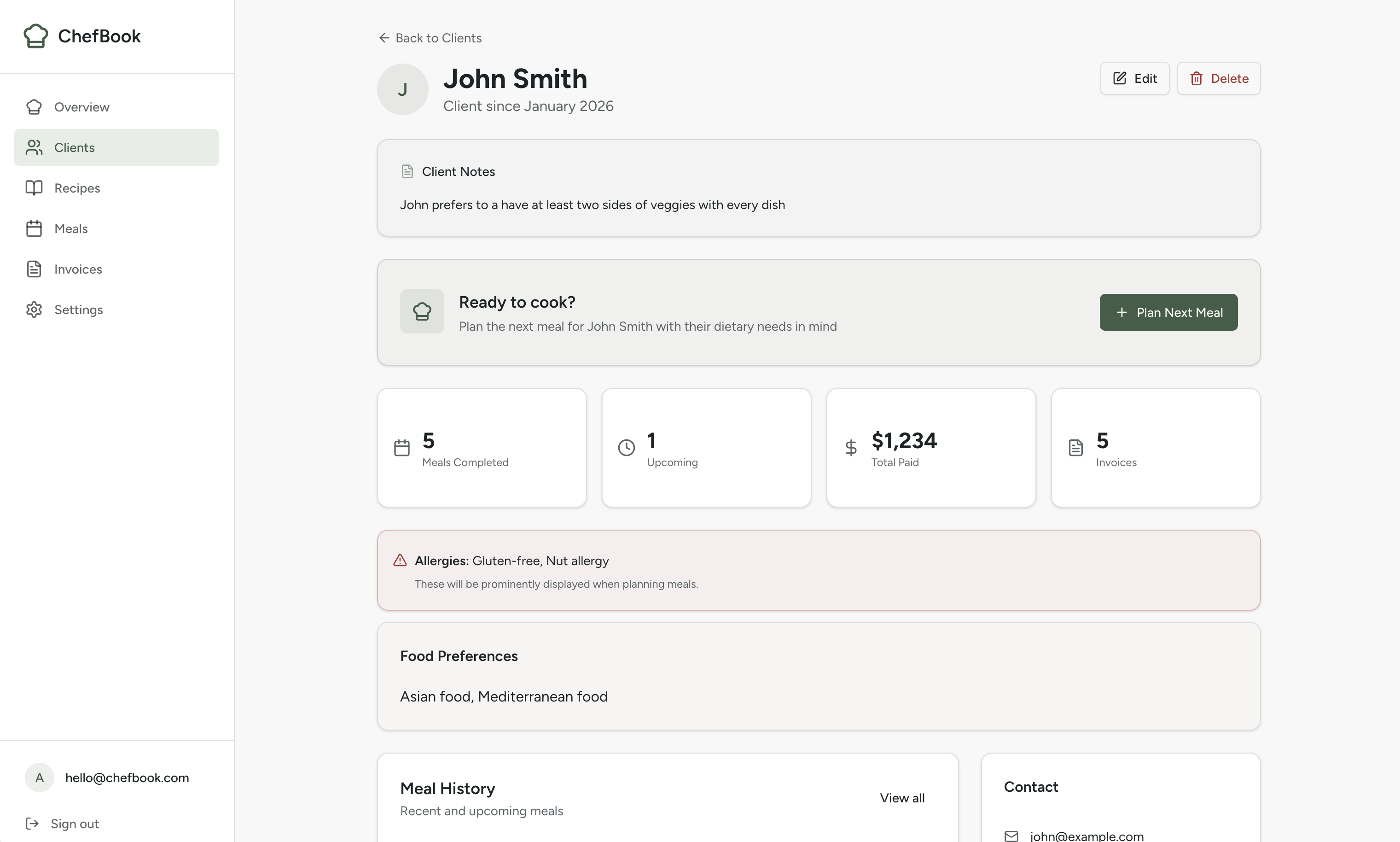
Start with the client & keep context in one place
Capture preferences, allergies, and goals once, then stop chasing notes in texts and spreadsheets. ChefMate keeps the important details visible when you're planning and cooking.
- •Allergies & dietary restrictions at a glance
- •Client notes that stay attached to every meal
- •Meal history so you don't repeat accidentally
Step 2
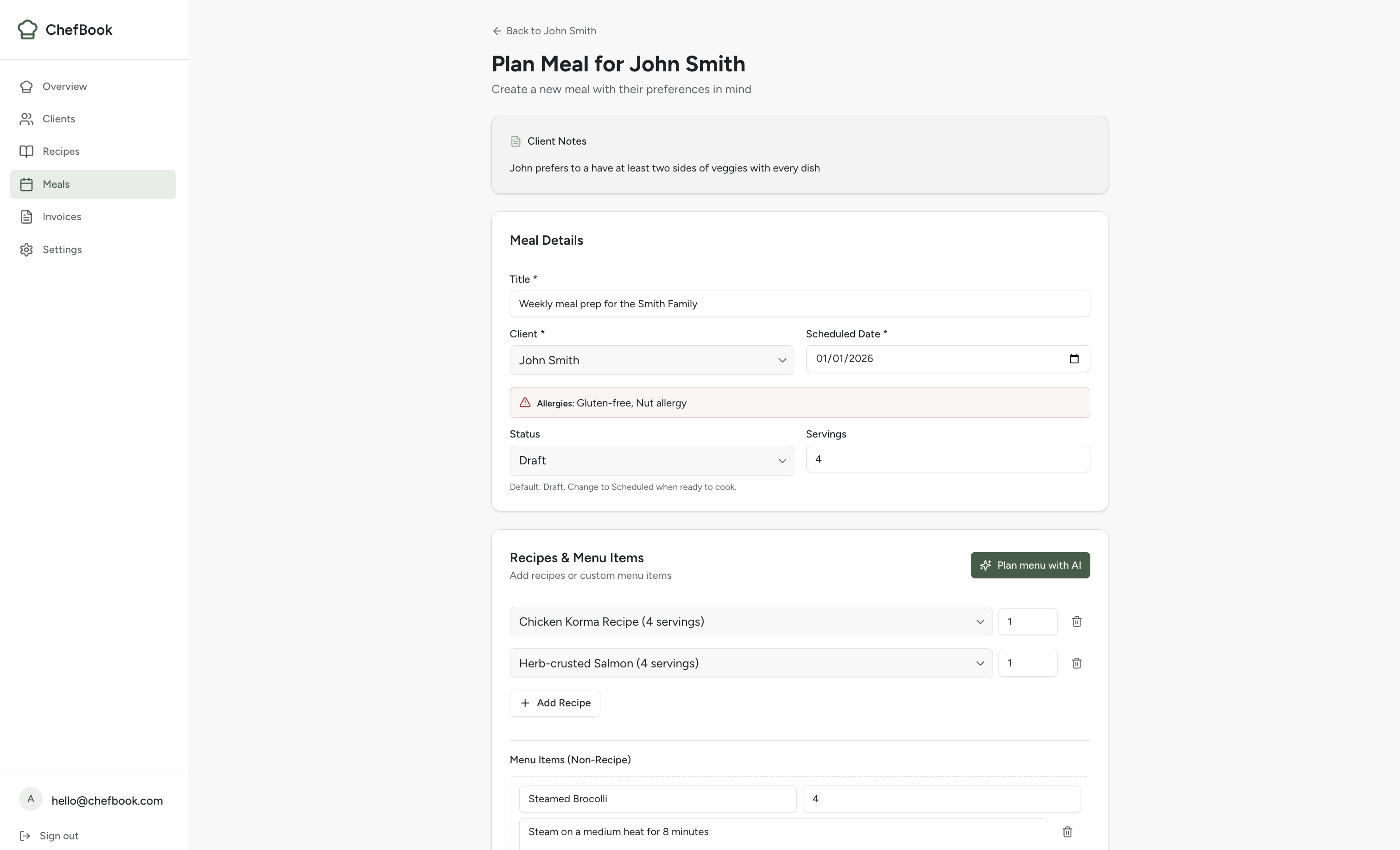
Plan a meal in minutes
Choose recipes, add custom items, and build a menu that fits your client. Everything stays tied to the meal so you can prep and invoice without re-entering info.
- •Recipes + custom items in one meal
- •Servings and schedule in one view
- •Optional validation against restrictions
Step 3
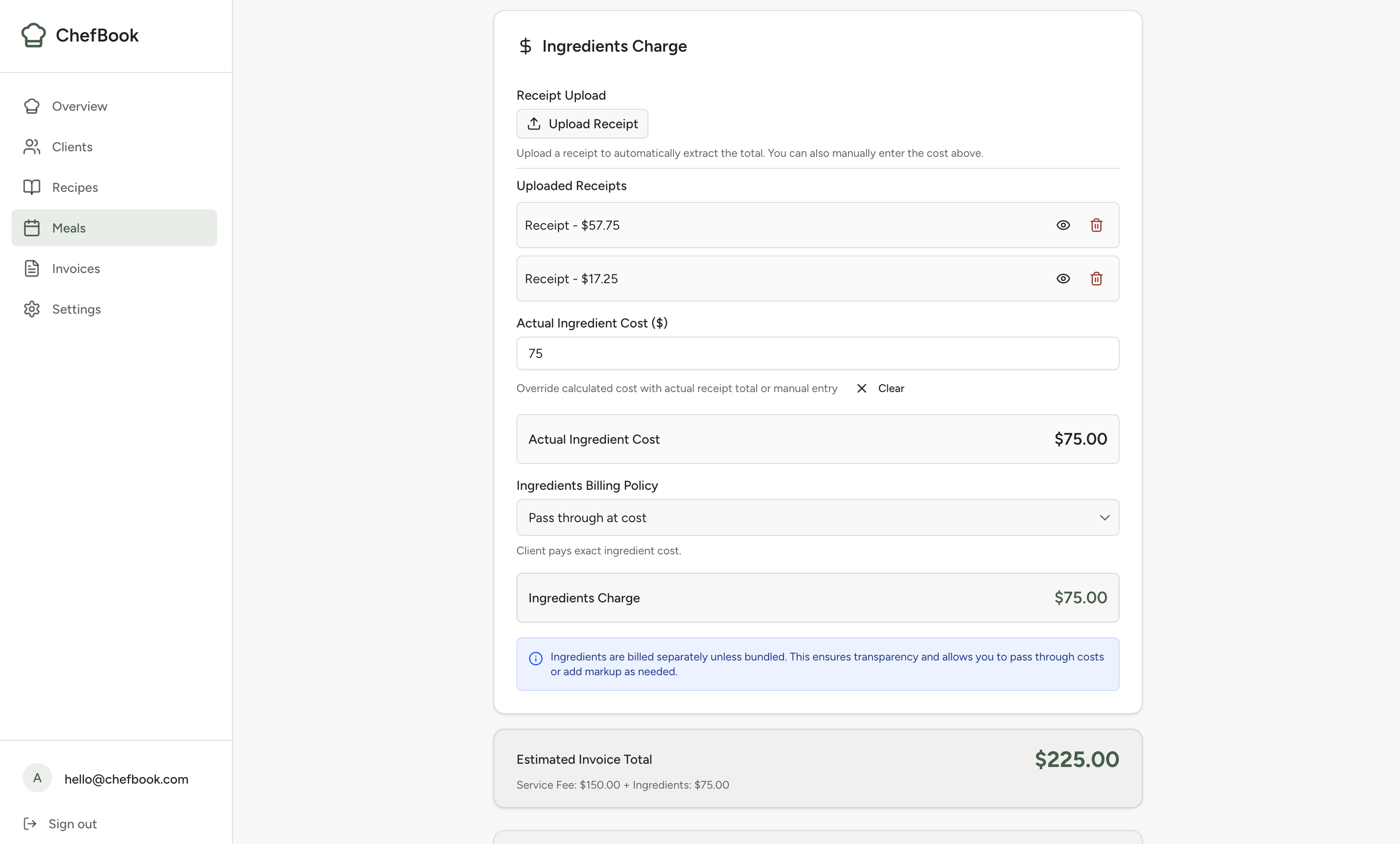
Track grocery costs and pass them through to the invoice
Costs change depending on the store, so ChefMate tracks spending per meal, not per recipe. Upload a receipt at the store and AI extracts the line items — then those exact costs can flow straight onto the client's invoice so they see what food actually cost.
- •Receipt upload with AI item extraction
- •Editable line items — you approve before billing
- •Pass-through billing: add grocery cost to the invoice as a labeled line item
- •Per-serving cost calculated so you always know your margin
Step 4
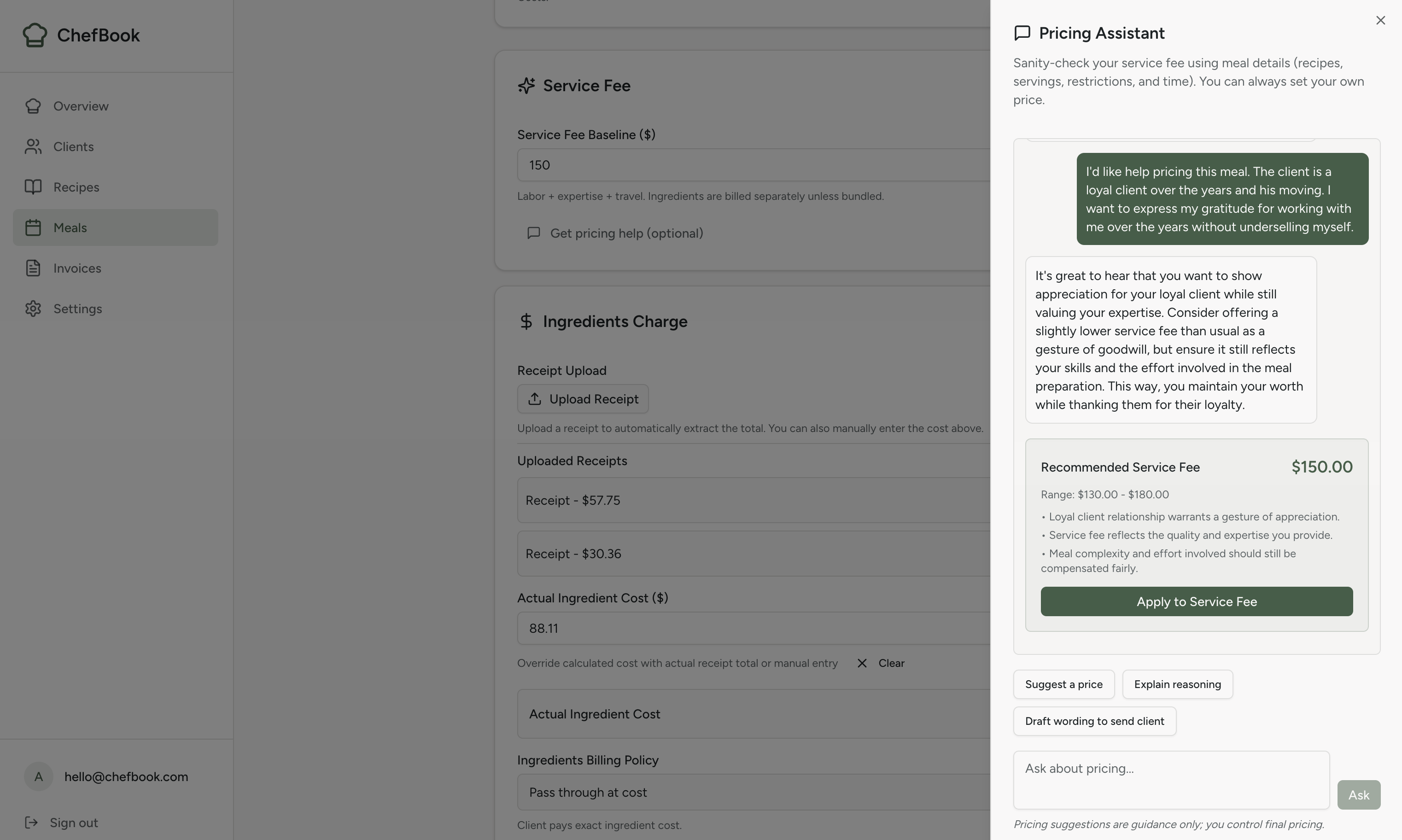
Set your service fee with pricing help when you want it
You can always set your own price. When you want a second opinion, the Pricing Assistant uses the meal details (time, complexity, restrictions, costs) to sanity-check your service fee and explain the reasoning.
- •Manual service fee by default
- •Optional chat-style pricing assistant
- •Clear reasoning you can stand behind
Step 5
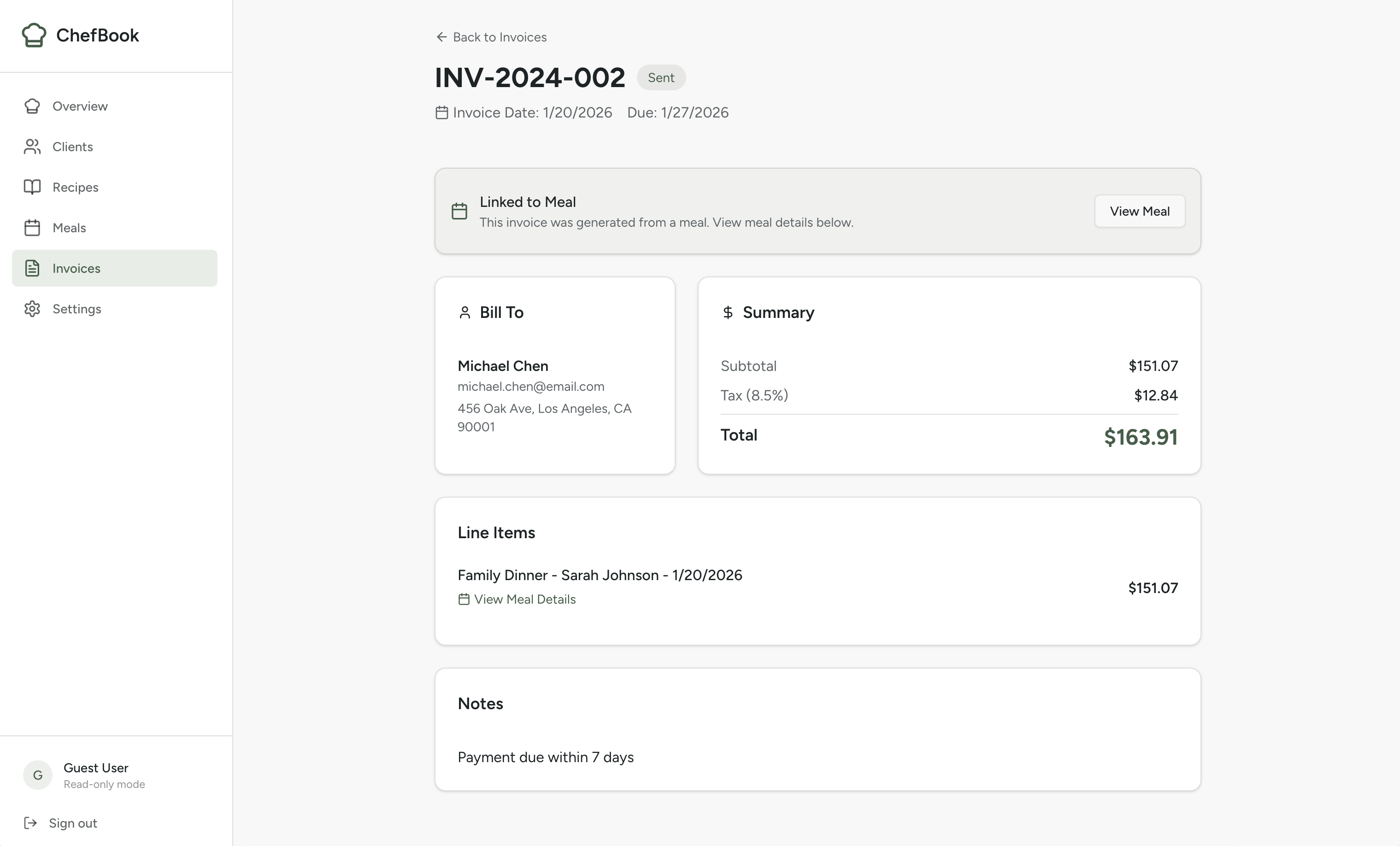
Invoice fast — groceries and service already filled in
When the meal is complete, the invoice builds itself from the costs you already tracked. Service fee and grocery reimbursement are separate line items — clear for the client, clean for your records.
- •Grocery cost pulled from your receipts — no re-entry
- •Service fee + groceries as separate, labeled line items
- •Optional sales tax and processing-fee lines
- •Export-ready for taxes — less admin after every cook
Built for personal chefs who don't want more software
ChefMate is designed to feel familiar: clear screens, sensible defaults, and optional guidance only when you ask for it. If you can run your business from a spreadsheet, you can use ChefMate.
Ready to try it yourself?
Explore the live demo with sample data (no signup required).
Questions? Email support@trychefmate.com